
From simple compatibility to true integration.
Manage multiple MTechnology cameras centrally and bring AI events straight into the XProtect operational workflow.
Without the plugin, ONVIF-conformant MTechnology models are compatible with XProtect via ONVIF. With the plugin they are integrated.
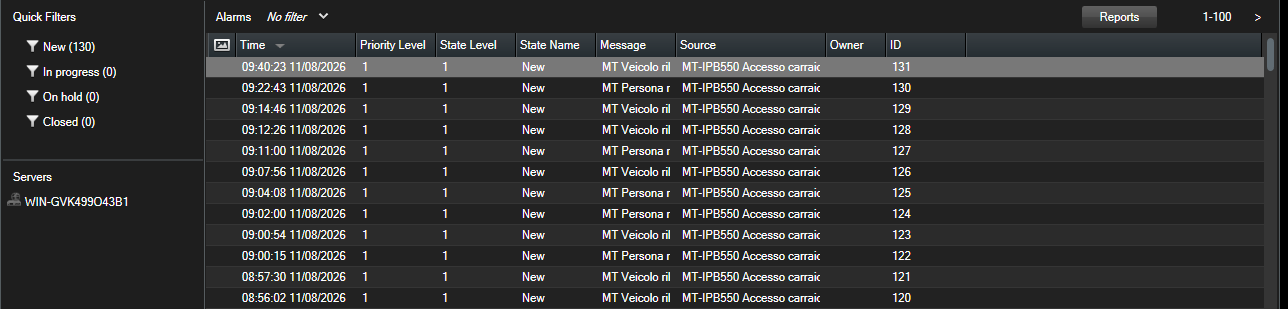
The Smart Client's Alarm Manager during the field test: over roughly 17 hours of live road traffic, the cameras sent 131 alarms to XProtect through the bridge: 59 person and 72 vehicle, each with its time, camera and type. It is the same view your operators use: the alarm arrives already classified.
Test conditions: internal test on our own bench, from 10 August 14:44 to 11 August 07:40, with a plugin version prior to 1.0.
A plugin for the XProtect Management Client, built for installers and system integrators working with MTechnology. It starts from a simple idea: what you do camera by camera — adding, configuring, checking — becomes a table, a checkbox, one click across the whole fleet; and the AI analysis running on the camera becomes an alarm in your VMS. A single setup installs everything, complete PDF guide included.
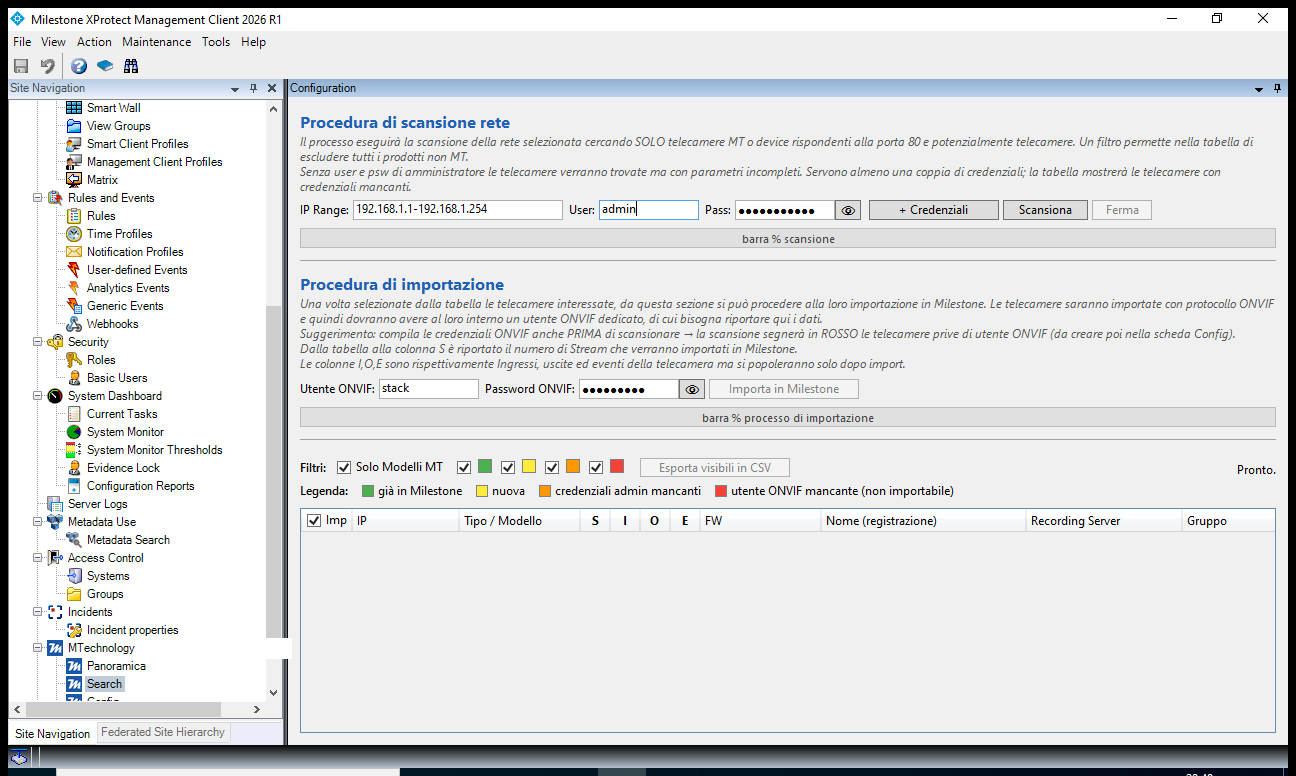
Network scanning and discovery of MTechnology cameras: see at a glance what is already in the VMS and what is new. The guided import brings everything in at once — streams with readable names (resolution + codec), metadata, inputs and outputs, events already enabled, PTZ cameras recognized and activated automatically. CSV export of the camera inventory included.
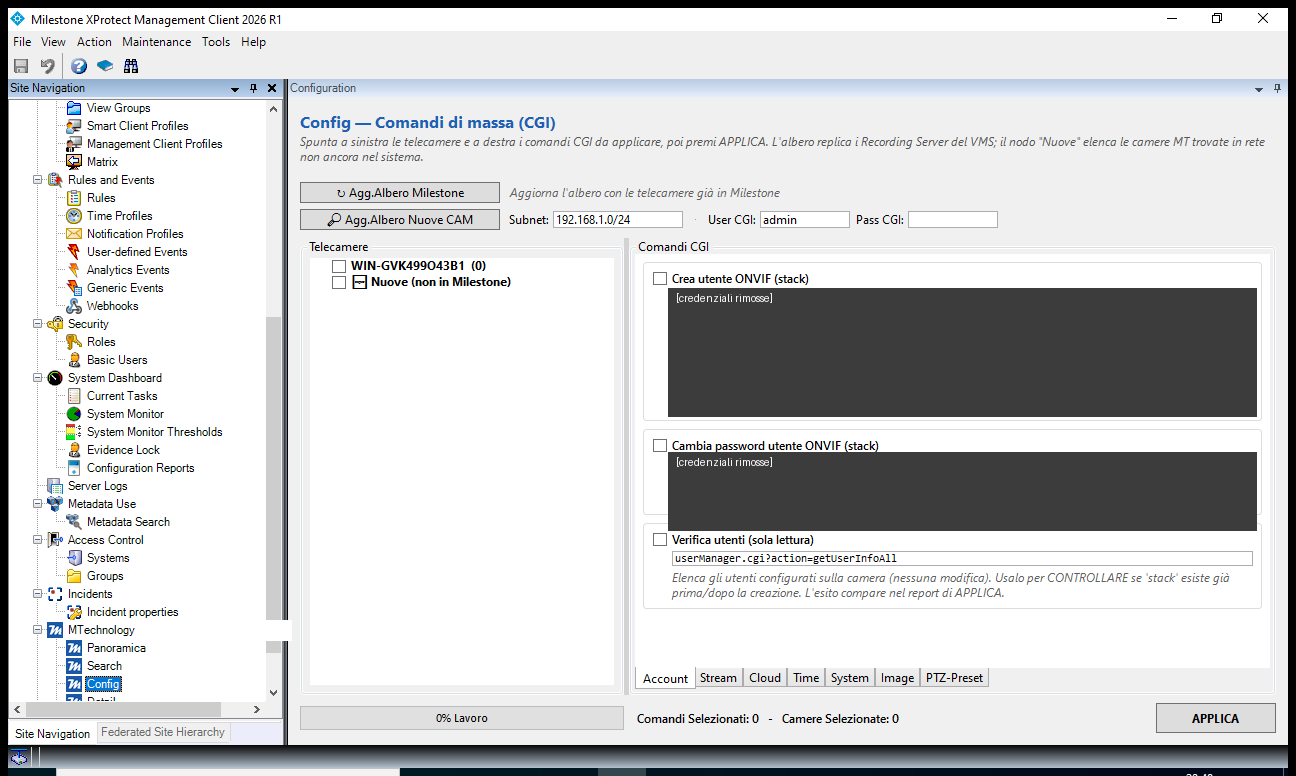
Configuration commands apply in bulk to the selected cameras: time and NTP, video overlay, stream parameters, scheduled reboots, ONVIF user creation. Half an hour of hopping between web interfaces becomes a checkbox and a click on Apply.
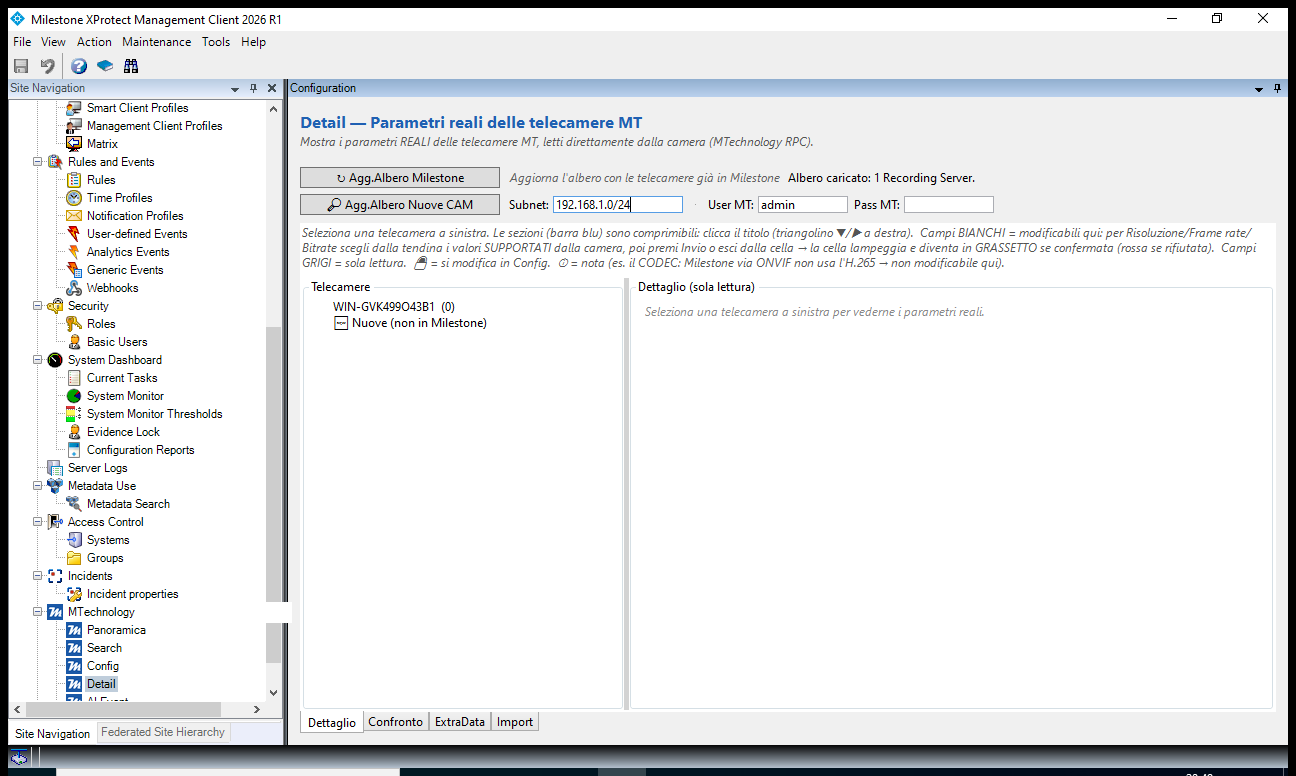
The plugin talks directly to the cameras and shows resolutions, codecs, frame rates and bitrates for the whole fleet without opening a single web interface. The Comparison view puts the cameras in a matrix: if one is configured differently from the rest, you spot it in a second. Edits are made in-cell, offering only the values each camera supports.
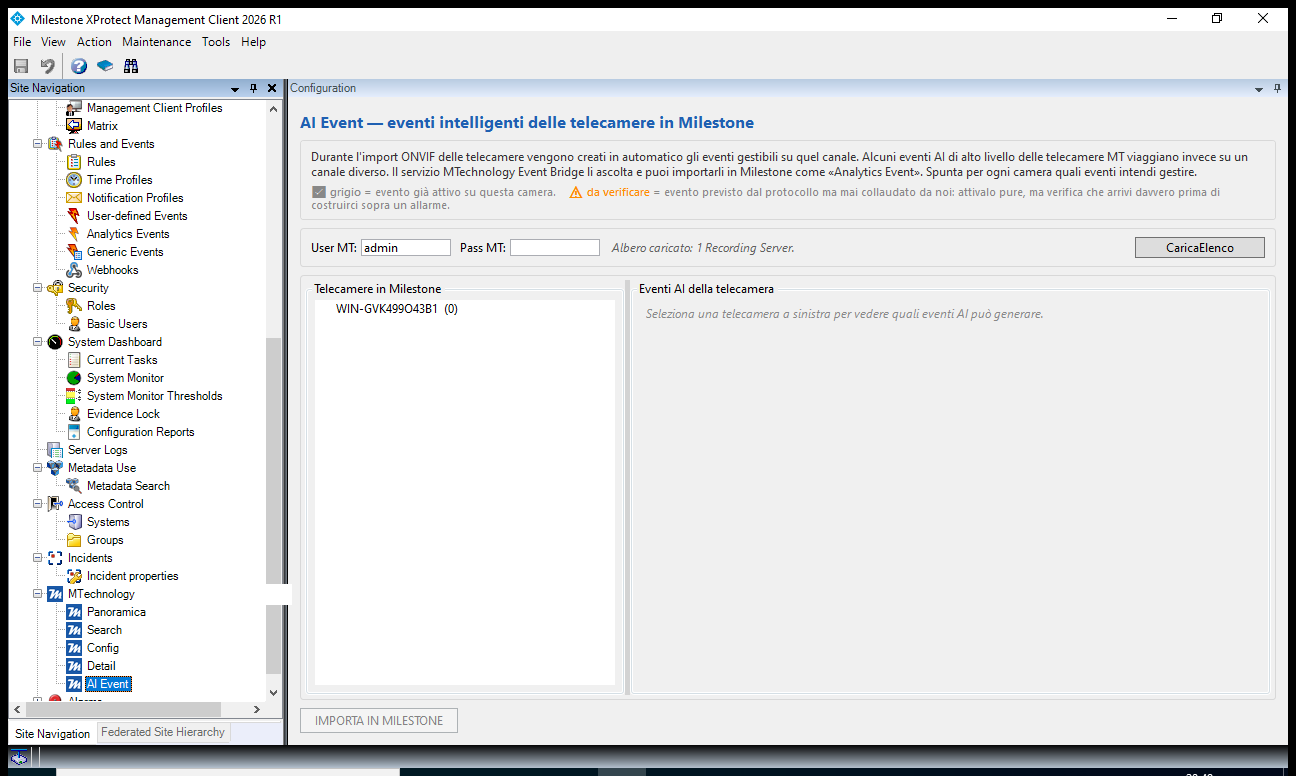
MTechnology cameras classify people and vehicles right on board. The plugin delivers these classifications into XProtect as Analytics Events: build rules and alarms on "Person detected" and "Vehicle detected", with the accuracy of on-camera scene analysis. It is the value the plugin adds on top of the standard ONVIF integration: alongside video and motion you also get the object class, ready for the Alarm Manager. And it works with the analysis modes we have tested — motion detection with classification and scene rules such as line crossing and area intrusion: in all of them the person/vehicle class comes through.
The bridge configures itself when the cameras are imported: zero manual steps. And since the analysis runs on the camera, the bridge forwards events only: no additional video on the network or the server. Tested on live traffic: see «The field test» above.
ONVIF is the starting point: ONVIF-conformant MTechnology models (Profile S, T, M) can be added to XProtect and work without the plugin, like any ONVIF device.
These models are on Milestone's official list of supported cameras (Supported Device List):
| MT-IPB9104AI | firmware 3.146.0000000.38.R — two-way audio, 3 inputs / 2 outputs |
| MT-IPD2500AI | firmware 2.840.0000000.26.R — audio in |
| MT-IPSD2200AI | firmware 3.201.0000002.1.R — PTZ control |
They require XProtect with Device Pack 14.2a or later. Each camera uses a standard XProtect license, like any device.

MTechnology Plugin v2.0.0 — Milestone Verified
Compatible with Milestone XProtect Corporate 2026 R1.
| VMS | Milestone XProtect Corporate 2026 R1 |
|---|---|
| Component | Management Client plugin (MIP SDK) |
| System | Windows Server / Windows 10-11, .NET Framework 4.7.2 |
| Cameras | MTechnology IP series with on-board AI analysis |
| Version | 2.0.0 — single installer: plugin + MTechnology Event Bridge (optional on the event server) |
| Guide | Complete PDF manual bundled with the plugin |
The plugin is available to installers through the MTechnology distributor for Italy. Get in touch and receive it together with the complete guide.
Contact usNo. ONVIF-conformant cameras can be added to XProtect like any supported device. The plugin lets you do more: manage the whole MT fleet from a single point (bulk import, bulk configuration, every camera's parameters in one view) and bring on-board AI classifications into XProtect as alarms. It is the step from compatibility to integration.
The plugin is designed for the MTechnology fleet: discovery, configuration and AI events use MT native protocols. Cameras from other brands remain managed by Milestone as usual.
No. The plugin installs into your existing Management Client. Your XProtect's standard per-device licenses apply.
Very little: the analysis runs on the camera and the bridge forwards events only, not video.
We provide support for the plugin directly: a single point of contact, without being passed from one contact to another. The fields below are the ones we need in order to answer straight away, instead of asking you for them in a second round of e-mails.
Milestone XProtect® is a trademark of Milestone Systems A/S.